
Choosing a bank account probably isn't the most exciting part of starting a freelance business.
But it's one of those decisions that can make running your business easier for years to come.
You need somewhere to receive client payments, pay your expenses and keep track of your money. You also need a sensible way to put money aside for tax without accidentally spending it.
I've found that the right banking app makes a real difference. For my business, Starling stands out because of its user interface and the ability to organise money into separate Spaces.
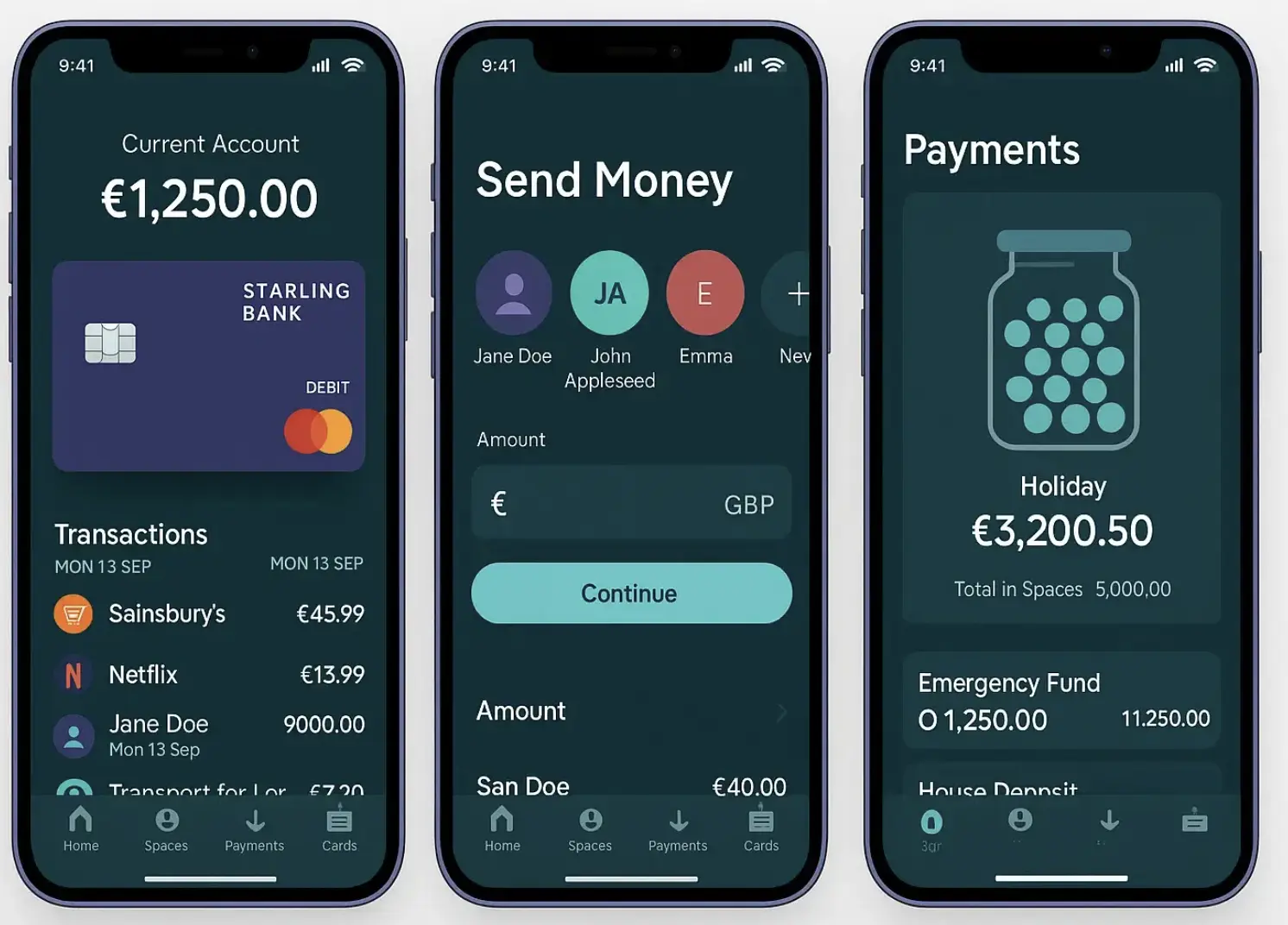
If you're looking for a business bank account as a freelancer, here's why I'd recommend taking a look.
There's also a £100 referral reward available to both of us when you open an eligible Starling limited company business account using my code.
What should freelancers look for in a bank account?
The best bank account for a freelancer isn't necessarily the one with the most features. It's the one that makes managing your money straightforward.
I'd focus on four things.
1. No unnecessary monthly fees
When you're running a freelance business, there's no reason to pay for features you don't use. A free business current account can be a good starting point, provided its features meet your needs.
2. An app that's easy to use
You might check your account several times a week, if not every day. Being able to see payments, review transactions and move money around without navigating a confusing interface makes a difference.
3. A way to separate money
Your bank balance doesn't tell you how much money you can actually spend. Some of it might be earmarked for tax, upcoming bills or other business costs.
Being able to set money aside makes it easier to understand your available balance.
4. Room to grow
Your banking needs might change as you win more clients, increase your income or move from sole trader to limited company status. Choose an account that fits the way your business operates now, while considering what you'll need next.
These are the things I'd consider before choosing any business bank account.
Why I recommend Starling for freelancers
I use Starling for my business current account, and the main reason I recommend it is the user experience.
I like the interface. It's straightforward to navigate, and managing my money doesn't feel like another job in itself.
That might sound like a small thing, but your bank account is one of the tools you use to run your business. If it's easy to use, you're more likely to keep on top of your finances rather than putting everything off until the end of the month.
Starling's business account also offers several useful features for freelancers, including:
- No monthly account fee on its standard business current account.
- Free UK bank transfers.
- Free invoicing tools.
- Spending insights to help you understand where your money goes.
- Spaces to separate money for different purposes.
- Accounting integrations and additional bookkeeping tools.
Starling also offers 24/7 customer support.
You can manage your account through the mobile app and online banking, giving you options for how you access your business finances.
Eligibility criteria apply, and the account you can open depends on how your business is structured.
Starling Spaces: a useful feature for freelance finances
If there's one feature I'd encourage freelancers to look at, it's Spaces.
Freelance income can be irregular. You might receive a large client payment on Monday and feel as though your bank balance is looking healthy. But that doesn't mean all the money is available to spend.
You may still have tax to pay, software subscriptions coming up and other business expenses to cover.
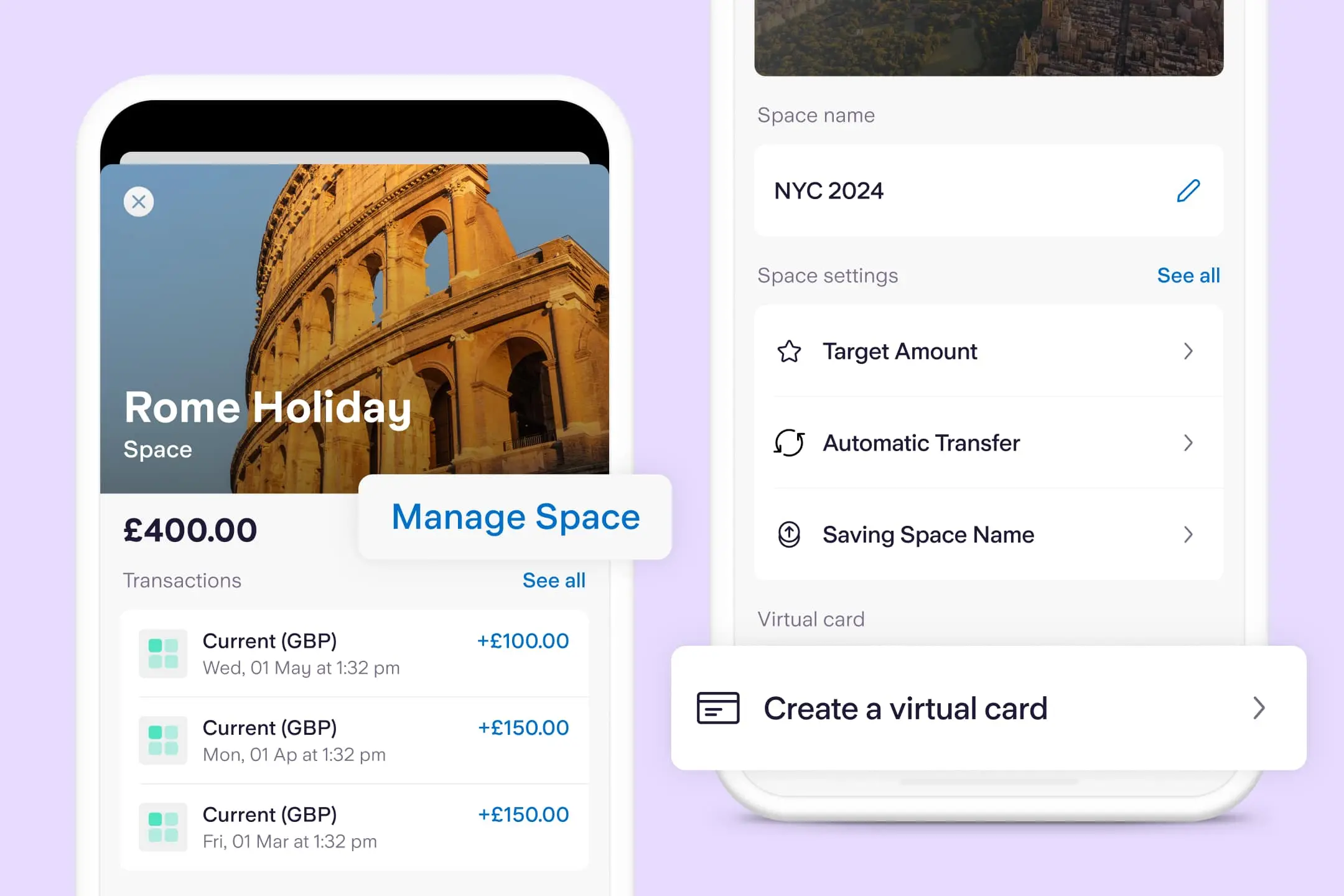
Starling Spaces lets you put money aside for different purposes within your account.
For example, you could create:
- A tax Space: Money reserved for your upcoming tax bill.
- An expenses Space: Funds for software, insurance and other business costs.
- A buffer Space: Money to help you through quieter months.
- An investment Space: Savings for new equipment, training or business development.
When a client pays an invoice, you can allocate money to the relevant Spaces instead of treating the entire balance as available cash.
The benefit is simple: you get a clearer picture of what your money is for.
Spaces aren't a substitute for bookkeeping or calculating your tax liability, but they can make your financial routine much easier to manage.
I've written more about this approach in my guide to how freelancers can manage their money.
Do freelancers need a business bank account?
That depends on how you operate.
If you're a sole trader, you and your business aren't separate legal entities. Whether you can use a personal account for business transactions depends on your bank's terms. A dedicated business account can still make it easier to separate personal spending from business income and expenses.
If you operate through a limited company, the distinction is more important. The company is a separate legal entity, so you should use an account appropriate for the company's finances rather than treating company money as your personal money.
Starling offers different accounts for sole traders and limited companies. Make sure you apply for the right one.
My referral offer below is specifically for an eligible Starling limited company business account. If you're a sole trader, check the available account options and promotion terms before applying.
How much does a Starling business account cost?
Starling's standard business current account has no monthly account fee.
It also offers free UK bank transfers and free invoicing, which makes it worth considering if you want to keep your regular banking costs down.
However, no monthly fee doesn't mean every service is free. Additional products, international transactions and other services may have separate charges.
Check the official Starling business account page for the latest fees, features and eligibility requirements before making your decision.
Get a £100 reward when you join Starling
If you're considering opening a Starling business account for your limited company, there's an additional incentive.
We can both earn £100 when you open an eligible Starling Limited Company business account using my referral code.
Here's how to get started:
- Download the Starling Bank app.
- Apply for an eligible limited company business account.
- Use my referral code: OTR8J28 , following the instructions in the app.
- Complete the account application and any required checks.
- Make at least one qualifying payment from your new account within the first 30 days of opening it.
Your account must be approved, and the other applicable referral conditions must be met to qualify for the reward.
You can read the Starling referral terms and conditions here.
Ready to get started?
Download the app and use referral code OTR8J28 when prompted.
The £100 reward applies to the specific offer described here, not necessarily every Starling referral promotion. Check the current terms and eligibility criteria before applying.
Make managing your money easier
Freelancing gives you more control over your working life, but that doesn't mean you should spend your evenings worrying about invoices, tax and whether you have enough money set aside for next month.
A good banking setup can make those tasks easier.
For me, Starling's straightforward interface and Spaces make it a strong choice for day-to-day business banking. It's not the only option available, and the right account will depend on how you work, but it's the one I'd recommend looking at first.
If you're setting up your freelance business or thinking about switching your current account, take a look at Starling and see whether it fits your needs.
And if you're opening an eligible limited company business account, remember to use my referral code OTR8J28 to qualify for the £100 reward, subject to the offer's terms.
Find out more about Starling business banking.
Affiliate disclosure: This article contains my Starling referral code. If you open an eligible limited company business account and meet the applicable conditions, both you and I can receive a £100 reward. This article reflects my personal preference for Starling's interface and features. Account eligibility, fees and referral conditions apply; please check Starling's current terms before applying.
![How To Ask For More Money As A Freelancer? [Free Templates]](https://d1pnnwteuly8z3.cloudfront.net/images/63ffb0a8-4f9e-424c-9ccb-23dce2c99bb1/e418ef41-89f6-4794-8a59-db84fbcc00ea.jpeg)